Search that finds it at once
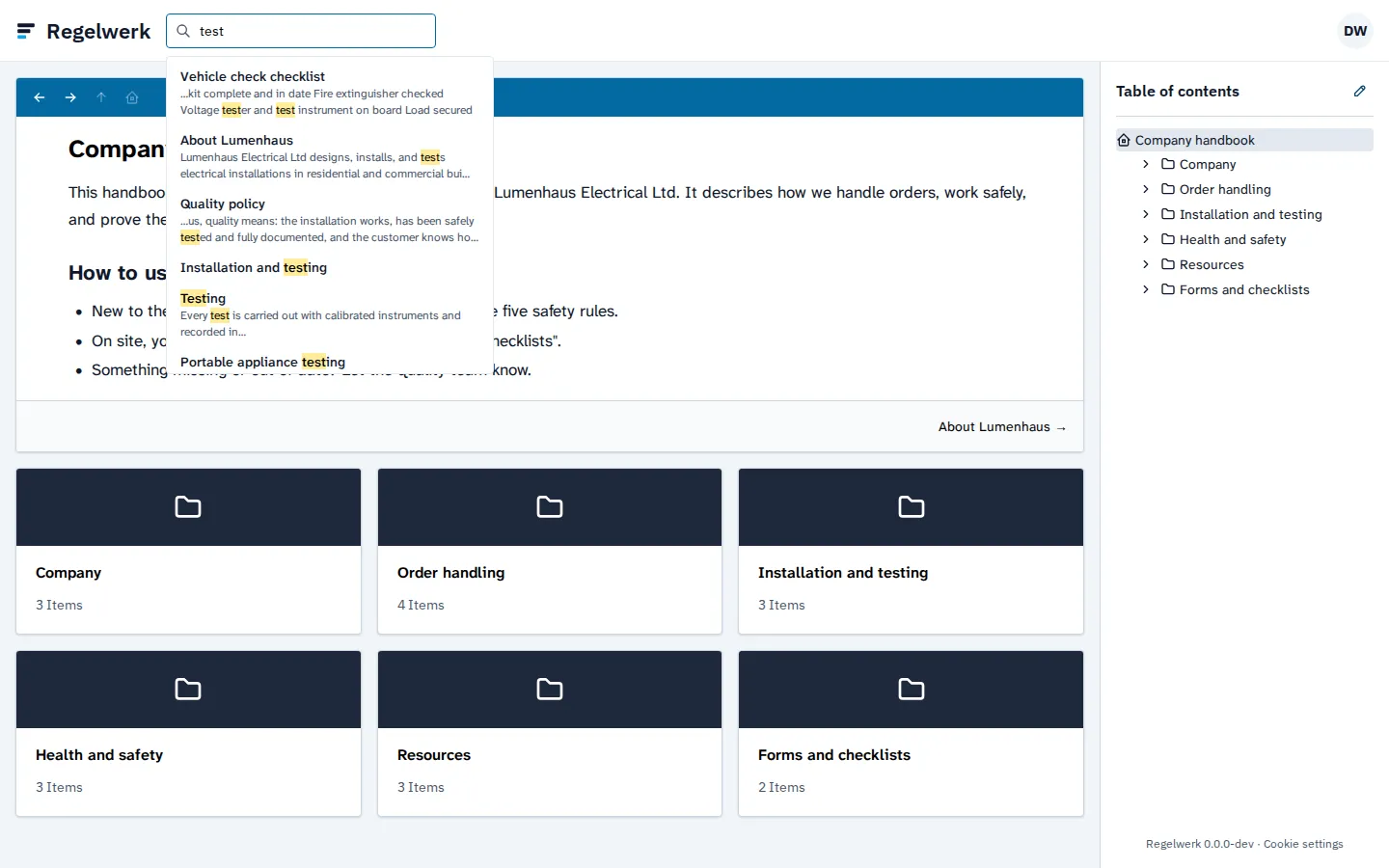
One keyword, and the right instruction is there, with the match highlighted. Everyone only finds the pages they may read.
When looking something up takes longer than asking, people ask. Then your business’s knowledge depends on whoever happens to be around, and your manual gathers dust. Regelwerk is built so that looking it up is faster.
Search, find, land on the spot
Search always sits at the top of Regelwerk. As you type, it shows matching pages with a text excerpt that highlights the search term. One click opens the page and jumps to the match.
Regelwerk searches the title, the summary, and the whole text, regardless of upper and lower case. It finds parts of words too: “goggles” finds the safety goggles, “safety” finds occupational safety and the safety rules.
Everyone sees only what they may see
Search follows the same permissions as the table of contents. What someone may not read does not show up in their results either, not even as a title. So you can keep confidential chapters, such as those for management, in the same manual. How you assign permissions is on the permissions per group and chapter page.
Found it, now read it
Search takes your team to the right page. What happens there, from the chapters to the typeface, is on the one page per topic page. The operations manual page shows what that looks like for a trade business.
Frequently asked questions
Does search find words in the text too?
Yes. Regelwerk searches the title, summary, and text of every page, regardless of upper and lower case.
Does everyone see the same results?
No. Everyone only sees results on pages they may read. What is hidden from them does not show up in search either.
End the documentation nobody reads.
Join the waitlist and be the first to know when Regelwerk launches.