Device approval for every new device
From day one, only devices your business approves reach your manual. It protects every account like a second factor, with no app and no email for your team.
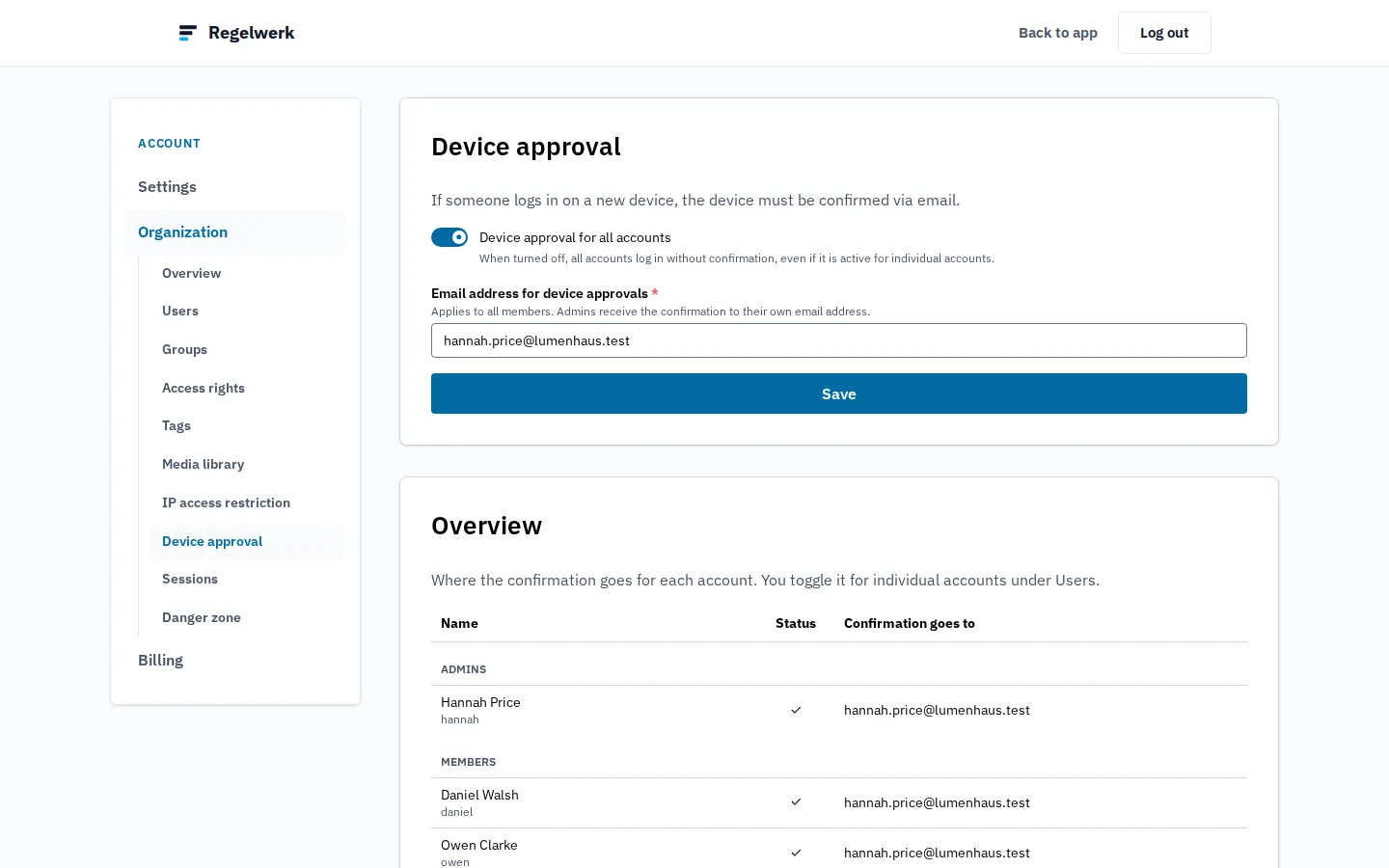
A manual that everyone can read on their phone still has to belong to you. A username and password are not enough for that: passwords get shared, written down, and guessed. That is why Regelwerk checks with your business first whenever a new device signs in.
How a device approval works
- Someone signs in on a device Regelwerk does not know yet.
- Regelwerk sends an approval request to the address you chose for it, such as yours or your site manager’s.
- Whoever receives the request opens the link, sees the approval code, and passes it on, for example in person or by phone.
- Only with that code does the device reach the manual.
Your staff need no app and no email address of their own for this. Administrators approve their own devices through their own address.
Device approval is switched on from the start. If you do not need it, you can switch it off for single accounts or for everyone.
What else protects your manual
Device approval decides which devices reach your manual. What each person may read there, you set with permissions per group and chapter. And if you like, you limit access to your company network.
Frequently asked questions
Is device approval a two-factor login?
It protects in a similar way but works differently. Instead of a second factor at every sign-in, your business confirms each new device with a code. Your staff need neither an app nor an email address for it.
Do I have to enter a code every time?
No. An approval lasts 90 days for that browser on that device. After that, or in another browser, it needs approving again.
Where is my data?
Regelwerk is hosted in Germany.
End the documentation nobody reads.
Join the waitlist and be the first to know when Regelwerk launches.