Word and SharePoint or Regelwerk?
Your manual lives as Word files on SharePoint or a shared drive? How Regelwerk differs, and when Regelwerk fits best.
Every rule exists once. In the version someone approved.
In many small businesses, the manual is a folder full of Word files, on SharePoint or a shared drive. That works as long as few people use it. Over time, “Safety.docx” and “Safety_new.docx” sit side by side, and the notice board holds a printout nobody can place anymore.
A file can be copied. A page cannot.
- Word files A file can be downloaded, forwarded, and printed. Every copy stays as it was when it was made, and nothing on it tells you whether it still applies.
- Regelwerk A page is the instruction itself. Whoever opens it reads the current version. Whoever wants to pass it on sends its link.
What that looks like day to day is on the one page per topic page.
Approval: switch it on, or just have it
- SharePoint SharePoint shows files in a library only after approval when that is switched on in the library settings (opens in a new tab). Only people with Full Control or Design permissions may change it.
- Regelwerk Every change starts as a draft. Only someone who may publish makes it the current version. There is nothing to set up.
You decide per group and chapter who may write and who may publish. More on the drafts and approval page.
Both keep versions. Only one keeps every version approved.
- SharePoint SharePoint keeps earlier versions of the files in a library. Your admins decide how many (opens in a new tab).
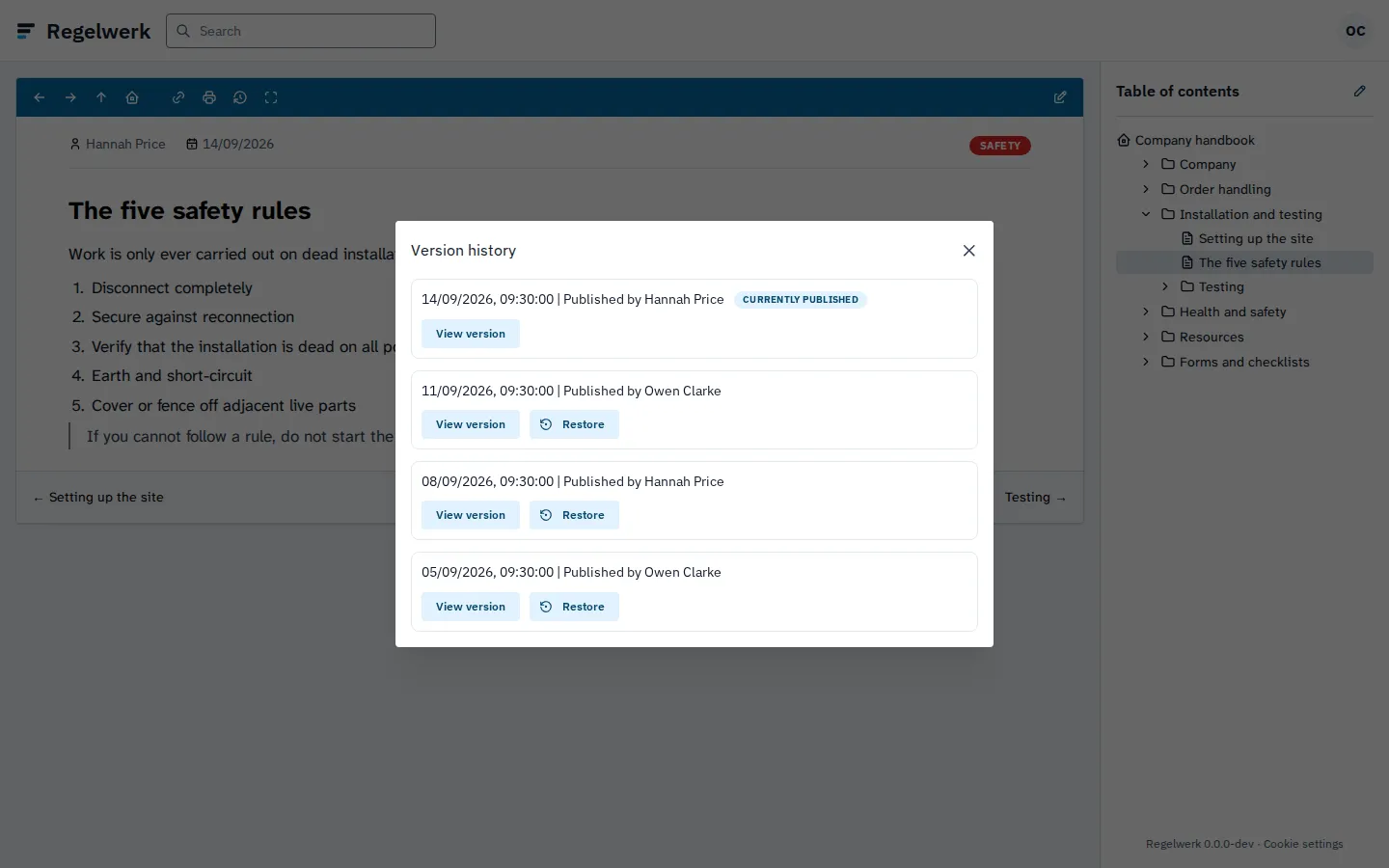
- Regelwerk Every page keeps the current version and the ten before it, with the name and date of publication. You restore an earlier version in one click.
More on the version history page.
On any phone, without a company email
Regelwerk runs in the browser on phone, tablet, and computer. Your staff sign in with a username and password; they do not need their own email address. Search jumps straight to the match and only shows what the person may read. How sign-in works is on the sign-in without email page.
What Regelwerk costs is on the pricing page: pricing will be announced at launch.
What the current version looks like in Regelwerk
When Regelwerk fits best
- One current versionYour team should always read the current instruction, never an old copy from the shared drive.
- On every phoneYour people read in the browser on their phone, without a Microsoft 365 account.
- Approval from day oneEvery change goes through approval, without setting up a library first.
Frequently asked questions
Can I bring over my Word files?
Yes. You create chapters and pages and bring over your texts. If you like, we import your Word files, PDFs, or wiki pages for you as a paid service.
Do I need Microsoft 365 for this?
No. Regelwerk runs in the browser on computer, tablet, and phone and is hosted in Germany. Your staff sign in with a username and password.
Can I keep using SharePoint for other files?
Yes. Regelwerk only replaces your manual. Contracts, spreadsheets, and all other files stay where they are today.
End the documentation nobody reads.
Join the waitlist and be the first to know when Regelwerk launches.